
The 7 most common reasons
- The tool made a new scene: prompt-based apps invent another street, other people and other moves
- The clip is too short: 5 or 6 seconds misses the shoulder bounce and the reaction that make it funny
- No original sound: without the beat it does not read as the Bulin 47 freestyle
- A side or tilted face: the AI has to guess half of it, and the guess changes when the performer turns
- Sunglasses, caps or masks: the AI cannot copy eyes it cannot see
- Beauty filters or heavy edits: the AI copies the filtered face, so it looks plastic
- A group photo or a tiny face: the AI does not know who to use or has too few pixels
Checklist for the realistic look
- Use the real clipPick a tool that edits the original freestyle with Kevin Wai instead of generating a new scene from text.
- Keep the full length and the soundAround 15 seconds with the original beat is what people recognise from TikTok.
- Choose one clear photoOne person, face to the camera, daylight or even light, no sunglasses, no filters. Half body is ideal so the outfit carries over.
- Go HD if you post it480p is fine for a story; 720p HD looks noticeably sharper in the feed.
What we do to keep it close to the original
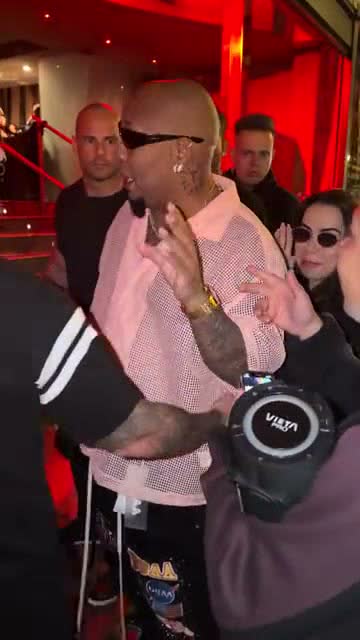
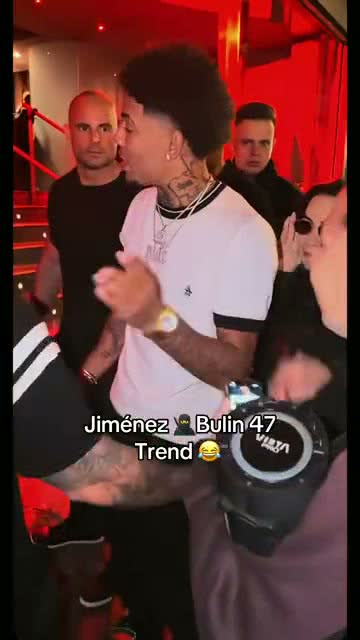
This site sends your photo together with a 15-second cut of the original freestyle to the Seedance 2.0 Mini video-edit model. The model keeps the moves, the camera, the street and the crowd and changes only the freestyler. The original audio is added back to your video, so it sounds exactly like the clip on TikTok.
When to try again
Faces and hands can still drift for a moment when the performer turns away; that is normal for AI video. If the freestyler does not come from your photo at all, or someone is missing or duplicated, that counts as a defect: email us within 7 days and we return the credits, as set out in the refund policy.
FAQ
Why does my face change in the middle of the video?
The performer turns his head and the AI has to fill in angles your photo does not show. A front-facing photo with even light keeps the face more stable.
Can I use a selfie?
Yes, if it is front-facing, well lit and has no filter. A half-body photo works even better.
Why is there no sound in my video?
Many tools generate silent video. Ours keeps the original audio. If TikTok or Instagram mutes it, add “Dame Hombro” or the original sound from the app’s library.