Where the Bulin 47 meme comes from
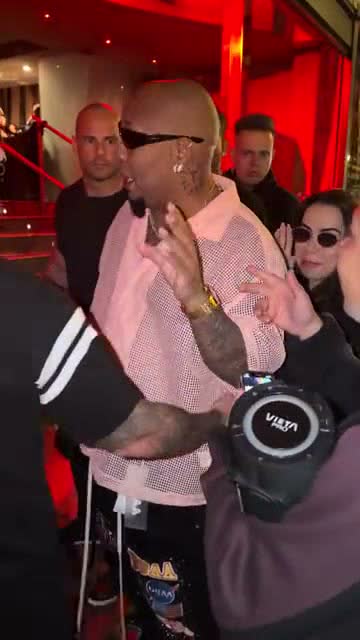
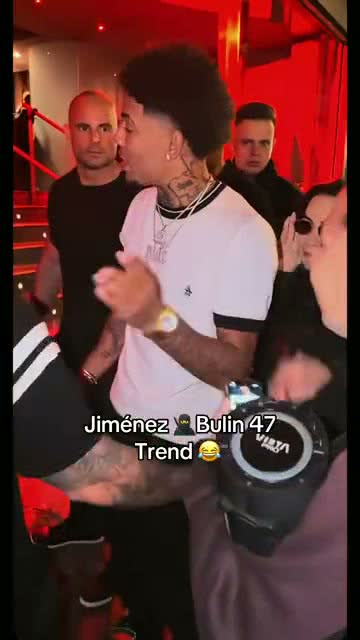
It uses Bulin 47’s freestyle with Kevin Wai and the speaker as its reference. AI edits put another face in Bulin’s place, following the gestures and rhythm of the scene.
The joke is usually who turns up: the friend who never sings, a relative at a party or you in your work clothes. You do not need a long setup if the viewer knows the face.
Ideas and captions for your meme
Pick a situation your friends know. These are suggested captions, not lines from the song.
| Idea | Photo | Caption |
|---|---|---|
| The quiet friend | An adult friend who gave permission | The one who said nothing all night when their song comes on |
| Friday | You in work clothes | Me at 6:01 on Friday |
| The family party | An adult relative, with permission | Said they were only stopping by |
| Finally sent it | You facing the camera | Me after hitting send |
| Your pet | A clear front-facing dog or cat photo | When the treat bag opens |
Which photo works best?
Choose a recognisable face without sunglasses or heavy filters. A half-body photo shows the clothes too. In a group shot, the model may struggle to pick the right person.
For a pet, use a sharp photo of the eyes and muzzle. Results are less predictable than with a person. If you use someone else’s photo, ask first and tell them what you plan to make.
Make the trend from one photo
- Choose a photo and captionUse one clear face and think of the punchline. Pick yourself, your pet or a person who gave permission. Celebrities and public figures are not allowed.
- Upload to the generatorYou get a 15-second vertical video. Choose 480p for 1 credit or 720p HD for 3 credits before starting. Packs start at $8.99.
- Download and add the captionAdd the words in your editor or when posting to TikTok, Reels or Shorts. The generator makes the video; you add the caption.
How to make the Bulin 47 AI video →Is there a free Bulin 47 AI video generator? →
Before you post
Watch it once on your phone. Can you recognise the face, read the text and hear the sound? If the punchline takes too long, shorten the caption.
Label it as AI-made. If the platform mutes the sound, check which tracks its music library offers for your post.
FAQ
Do I need a CapCut template?
One photo is enough for this generator. You can use CapCut or another editor afterwards to add the text.
Does the video include the caption?
No. You receive the video with the clip’s sound and add your own text when editing or posting.
Is it free here?
Generation costs 1 credit at 480p or 3 at 720p HD, with packs from $8.99. The free-options guide covers other ways to try the trend.
Does it work with pets?
You can try a dog or cat photo. Use a sharp front view; likeness and movement can vary more than with a person.